
ZIP Bomb Attacks
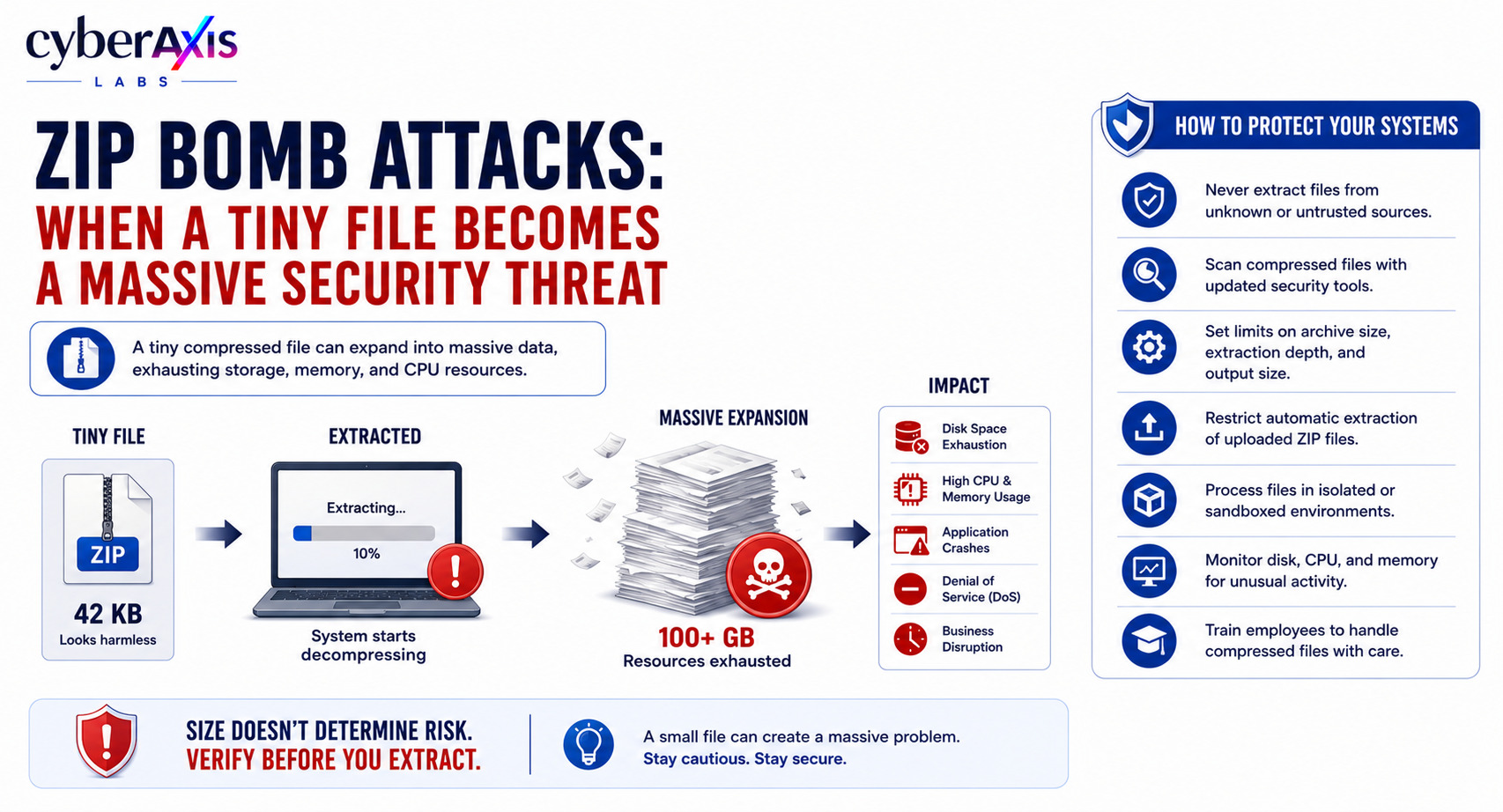
Not every cyberattack begins with malware, ransomware, or sophisticated hacking.
Sometimes, it starts with a file that's only a few kilobytes in size.
One small mistake—extracting an untrusted compressed file—can consume enormous amounts of storage, memory, and CPU resources, bringing systems to a halt.
This technique is known as a ZIP Bomb Attack.
What Is a ZIP Bomb?
A ZIP bomb is a highly compressed archive designed to expand into an extremely large amount of data when extracted.
At first glance, the file appears harmless because of its small size.
However, once decompressed, it can consume massive system resources, potentially causing applications to crash, storage to fill up, or systems to become unresponsive.
Unlike traditional malware, a ZIP bomb doesn't necessarily execute malicious code. Instead, it exploits the way systems process compressed files.
How Does a ZIP Bomb Attack Work?
Attackers create compressed archives containing deeply nested or repeatedly compressed files.
When the victim extracts the archive, the system continuously decompresses its contents until available storage, memory, or processing resources are exhausted.
The result may include:
Disk space exhaustion
High CPU and memory usage
Application crashes
Denial of Service (DoS)
Delayed business operations
A tiny download can unexpectedly consume gigabytes—or even terabytes—of storage.
Where Do Organizations Make Mistakes?
ZIP bomb attacks often succeed because of simple oversights, such as:
Extracting files received from unknown email senders.
Automatically scanning compressed files without extraction limits.
Trusting file size instead of verifying the source.
Allowing unrestricted uploads to websites or applications.
Failing to limit archive depth or decompressed file size.
A single click on an untrusted archive can impact an entire system.
Scenario 1 – HR Recruitment Portal
An HR team receives hundreds of resumes every week.
An attacker submits a ZIP file claiming to contain a resume and portfolio.
The file is only a few hundred kilobytes, so it appears harmless.
When HR extracts it, the archive expands into hundreds of gigabytes of nested data.
The workstation becomes unresponsive, disk space is exhausted, and other recruitment activities are disrupted.
Lesson: Never assume a compressed file is safe because it's small. Verify the sender and scan archives before extracting them.
Scenario 2 – Customer File Upload Portal
A company allows customers to upload ZIP files through its web application.
The application automatically extracts every uploaded archive for processing.
An attacker uploads a ZIP bomb.
The server begins decompressing the archive until storage and CPU resources are exhausted, causing the application to slow down or become unavailable to legitimate users.
Lesson: Applications should validate compressed files, limit extraction depth, restrict decompressed size, and isolate file processing.
How Can You Protect Against ZIP Bomb Attacks?
Organizations can reduce the risk by:
Never extracting compressed files from untrusted sources.
Scanning archives with updated security software before opening them.
Setting limits on archive size, extraction depth, and decompressed output.
Restricting automatic extraction of uploaded ZIP files.
Processing uploaded files inside isolated or sandboxed environments.
Monitoring disk usage, CPU, and memory for unusual activity.
Keeping operating systems, archive utilities, and security tools updated.
Training employees to treat unexpected compressed files with caution.
Final Thoughts
ZIP bomb attacks demonstrate that size doesn't determine risk.
A tiny compressed file can consume enormous resources and disrupt business operations if handled without proper safeguards.
Whether you're opening an email attachment or building a web application that processes uploaded files, compressed archives should never be trusted blindly.
Remember: A small file can create a massive problem if you don't verify it before extracting it.



Comments 0
Email-verified comments are reviewed before they are published.