
A Backup You Can't Restore Isn't a Backup
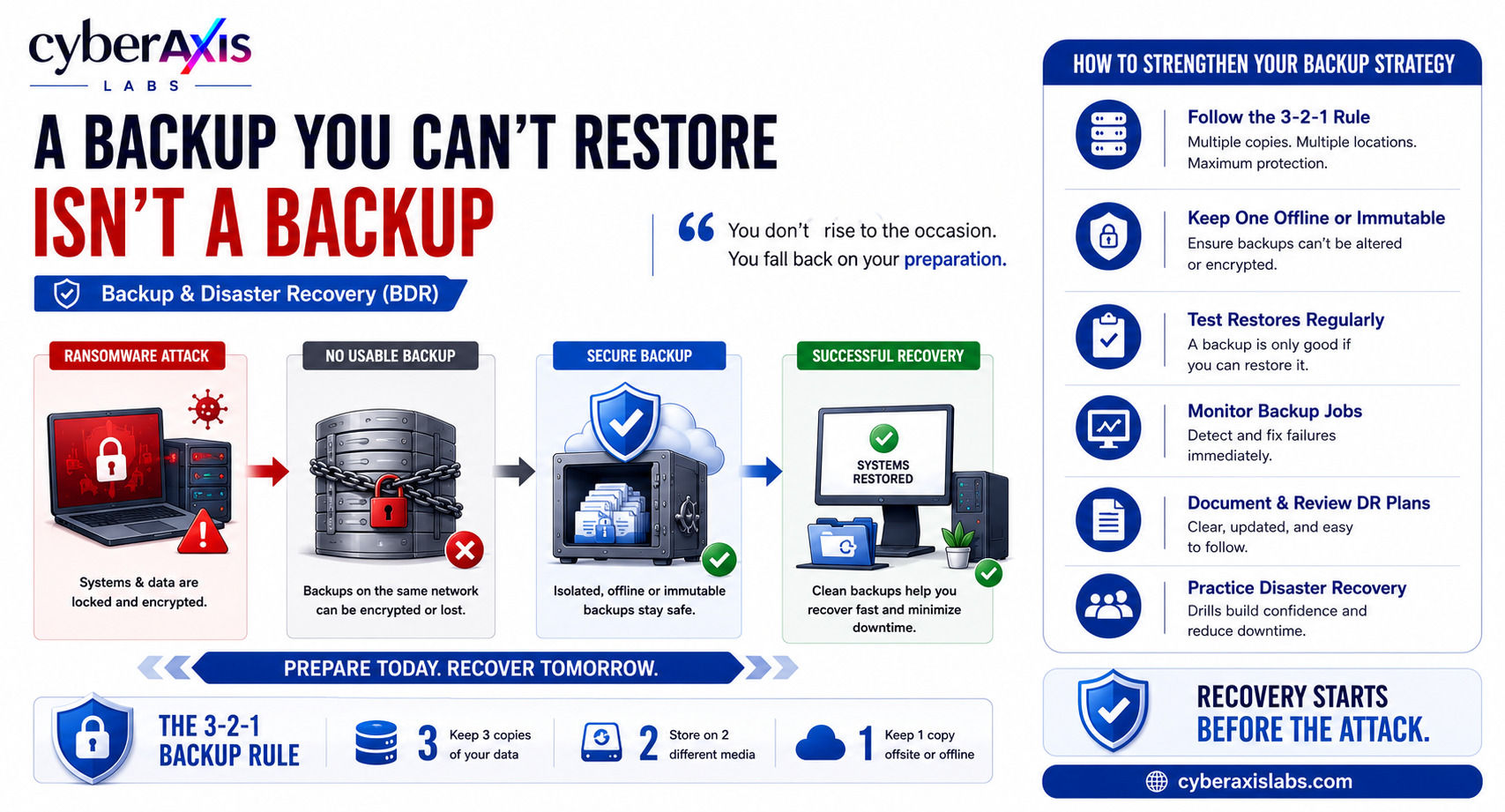
Many organizations believe they're protected from cyberattacks simply because they have backups.
Unfortunately, having a backup doesn't always mean you can recover from a disaster.
Backups that are outdated, incomplete, corrupted, or never tested can turn a cyber incident into a business crisis.
That's why Backup and Disaster Recovery (BDR) is one of the most important—yet often overlooked—parts of cybersecurity.
What Is Backup & Disaster Recovery?
A backup is a copy of your data that can be used to recover files if they're lost, corrupted, or encrypted.
Disaster Recovery (DR) is the process of restoring systems, applications, and business operations after an unexpected event such as ransomware, hardware failure, accidental deletion, or a natural disaster.
A backup is only valuable if it can be restored successfully when it's needed.
What Should You Back Up?
A good backup strategy should include more than just documents and spreadsheets. Organizations should regularly back up:
Business documents and user files
Databases and application data
Virtual machines and servers
Email mailboxes and Microsoft 365/Google Workspace data
Source code and development repositories
Network and firewall configurations
Active Directory and identity services
Critical business applications
System configurations and recovery images
If a critical system can't be restored after an incident, it should be considered part of your backup plan.
Where Should You Store Backups?
Keeping backups in the same location as your production data creates a single point of failure. If ransomware encrypts your servers, it may also encrypt connected backups.
A resilient backup strategy should include:
Local Backup for fast recovery.
Offsite Backup to protect against physical disasters.
Cloud Backup for geographic redundancy.
Offline (Air-Gapped) Backup disconnected from the network.
Immutable Backup that cannot be modified or deleted.
Follow the 3-2-1 Backup Rule:
3 copies of your data
2 different storage media
1 copy stored offline or offsite
Why Do Backup & Disaster Recovery Fail?
Organizations commonly experience recovery failures because:
Backups are never tested.
Backup files become corrupted.
Ransomware encrypts backup storage.
Critical systems aren't included in backups.
Recovery procedures are undocumented.
Backup failures go unnoticed.
The worst time to discover a backup problem is during a real incident.
Scenario 1 – Ransomware Recovery Failure
A manufacturing company falls victim to a ransomware attack that encrypts its file servers and production systems.
Confident that backups are available, the IT team begins the recovery process.
Unfortunately, the backup server was connected to the same network and was also encrypted by the ransomware.
With no clean backup available, the organization faces days of downtime, disrupted operations, and significant financial losses.
Lesson: Backups should be isolated from production systems so attackers can't compromise them during an attack.
Scenario 2 – The Backup Was Never Tested
A finance company experiences a storage failure that permanently corrupts its primary database.
The IT team restores the latest backup, only to discover that the backup has been failing silently for several weeks due to a configuration error.
The organization loses weeks of critical financial records because no one had regularly tested the restoration process.
Lesson: A backup that has never been tested cannot be trusted during a disaster.
Why Backup & Disaster Recovery Matters
Poor backup and recovery planning can lead to:
Extended business downtime
Permanent data loss
Financial losses
Operational disruption
Regulatory and compliance issues
Damage to customer trust and business reputation
Recovering quickly is just as important as preventing the attack itself.
Quick Tips to Strengthen Your Backup Strategy
Follow the 3-2-1 Backup Rule.
Test backup restoration regularly—not just backup creation.
Keep at least one backup offline or immutable.
Back up critical systems, databases, email, cloud data, and configurations.
Monitor backup jobs and investigate failures immediately.
Restrict access to backup infrastructure.
Document and regularly review disaster recovery procedures.
Practice disaster recovery drills before a real incident.
Final Thoughts
Cyberattacks, hardware failures, and human mistakes are inevitable.
Whether your organization recovers quickly—or suffers prolonged downtime—often depends on one question:
Can your backup actually be restored?
A backup strategy isn't complete until recovery has been tested.
Remember: A backup you can't restore isn't a backup—it's just another copy of lost data.



Comments 0
Email-verified comments are reviewed before they are published.