
Rootkit: Hidden Danger
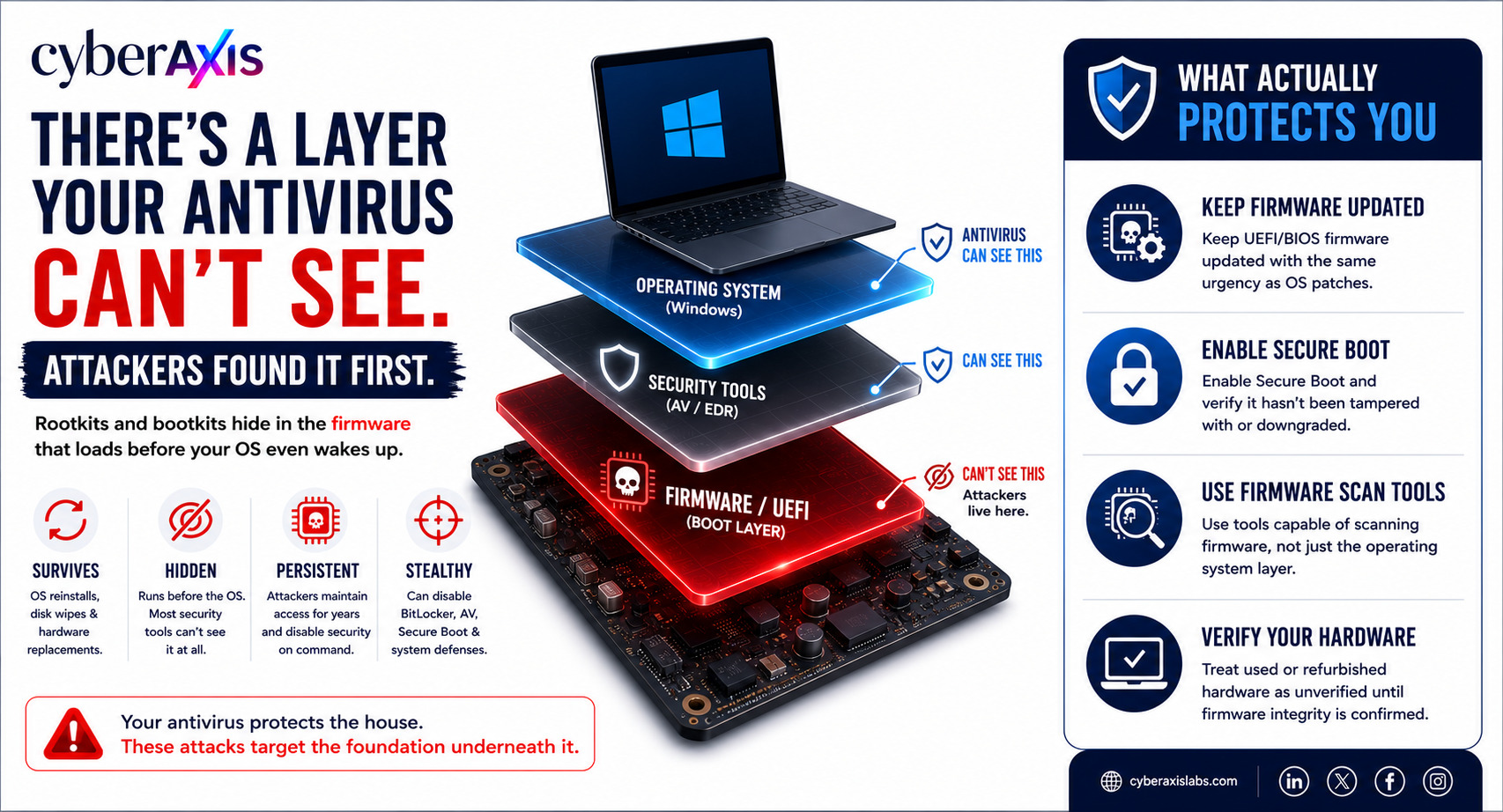
There's a Layer of Your Computer Your Antivirus Can't See. Attackers Found It First.
Wipe the hard drive. Reinstall Windows. Replace the SSD entirely. None of it matters if the infection isn't on your drive to begin with.
Rootkits and bootkits don't hide in your files. They hide in the firmware that loads before your operating system even wakes up — the layer every antivirus, EDR, and security tool assumes is trustworthy by default.
WHY THIS IS DIFFERENT: Regular malware runs inside the operating system, where endpoint tools can see it. A bootkit runs before the operating system exists, in the UEFI firmware on the motherboard itself. By the time Windows boots and your security software wakes up, the compromise already happened — and the malware can now selectively blind the very tools meant to catch it.
REAL ATTACKS: BlackLotus — a UEFI bootkit that bypassed Windows Secure Boot on fully patched Windows 11 systems, documented by Microsoft in 2023; it disabled BitLocker, Defender, and other core OS protections and was sold on underground forums for $5,000 MoonBounce — a UEFI implant discovered by Kaspersky in January 2022, linked to Chinese state-sponsored group APT41; it lived in SPI flash memory external to the hard drive, meaning even a full disk wipe couldn't remove it CosmicStrand — a UEFI firmware rootkit disclosed by Kaspersky in 2022 that had been quietly operating since 2016, found embedded in the firmware of specific Gigabyte and ASUS motherboard models
WHAT MAKES THEM SO DANGEROUS: They survive OS reinstalls, hard drive replacements, and factory resets. Because firmware sits below the operating system, most endpoint protection tools have no visibility into it at all. Once installed, attackers can maintain access for years and disable security tooling on command.
WHAT ACTUALLY PROTECTS YOU: → Keep UEFI/BIOS firmware updated with the same urgency as OS patches → Enable Secure Boot and verify it hasn't been tampered with or downgraded → Use tools capable of scanning firmware, not just the operating system layer → Treat used or refurbished hardware as unverified until firmware integrity is confirmed
Your antivirus protects the house. These attacks target the foundation underneath it.
cyberaxislabs.com
#Cybersecurity #Malware #Rootkit #FirmwareSecurity #EndpointSecurity #CyberThreats #InfoSec



Comments 0
Email-verified comments are reviewed before they are published.