
PHP2Shell: Critical PHP Vulnerabilities
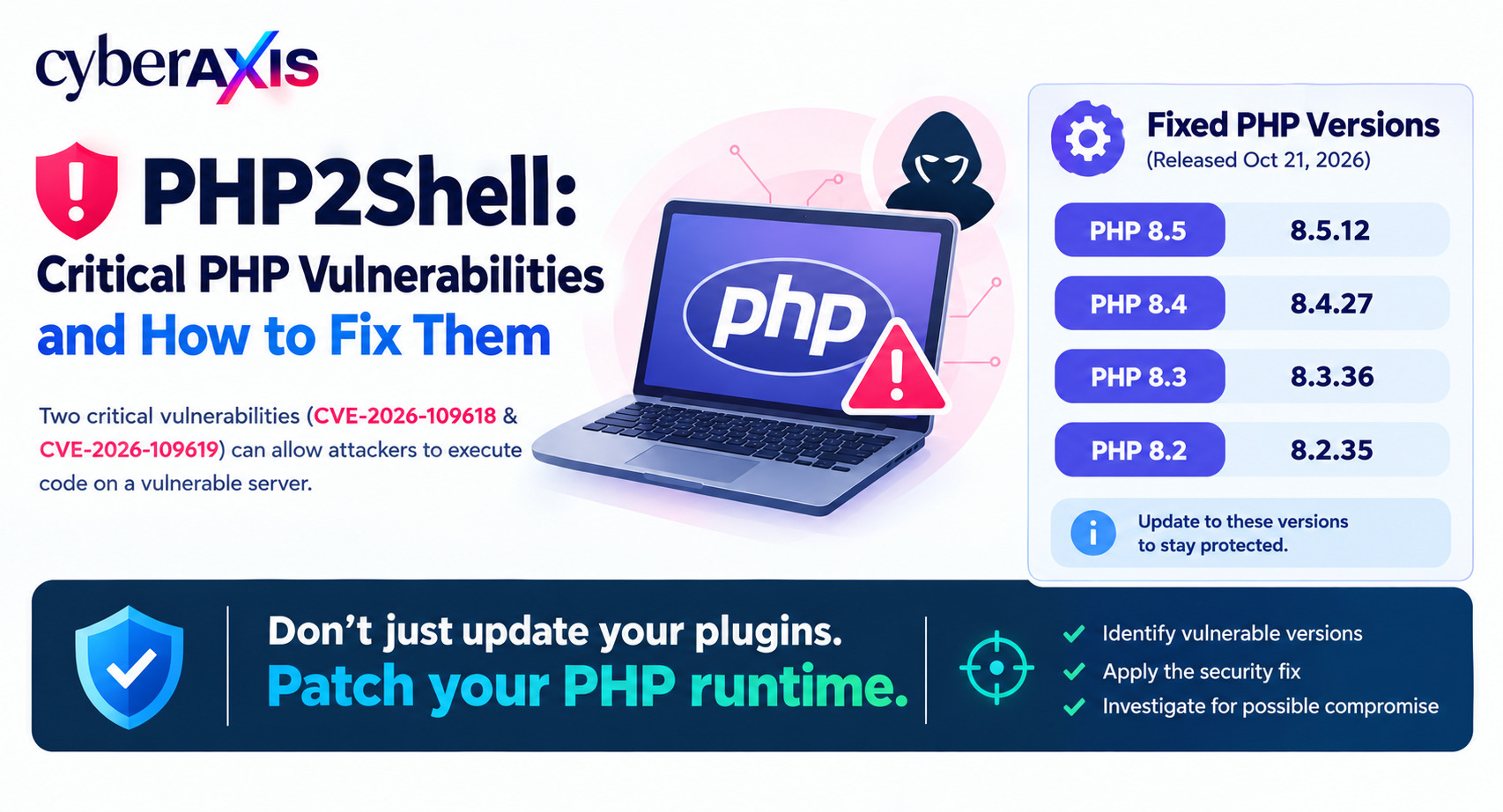
A critical security issue in PHP has placed web application security in the spotlight.
On October 21, 2026, the PHP team released emergency security updates for two critical vulnerabilities known collectively as PHP2Shell. Tracked as CVE-2026-109618 and CVE-2026-109619, both vulnerabilities have a CVSS v4.0 score of 9.2 (Critical).
Successful exploitation could allow an unauthenticated attacker to execute code on a vulnerable server or access sensitive data in PHP process memory.
The urgency increased when Amazon Threat Intelligence reported an exploitation attempt against its honeypot infrastructure on October 17, before public disclosure.
For organizations using PHP-powered websites, identifying vulnerable runtimes and applying the correct security updates should be a priority.
What Is PHP2Shell?
PHP is a server-side programming language used to build websites, APIs, content management systems, and business applications.
PHP2Shell refers to two vulnerabilities in the PHP runtime itself, rather than a flaw limited to a particular WordPress plugin or website theme.
The vulnerabilities involve unsafe memory handling during request processing. Under certain conditions, specially crafted HTTP requests can trigger memory corruption or access to stale internal state, potentially leading to remote code execution.
Affected deployments can include PHP-FPM, Apache with mod_php, php-cgi, FrankenPHP, and LiteSpeed.
Important: Updating a website plugin alone does not fix a vulnerable PHP runtime.
The Two PHP2Shell Vulnerabilities
1. CVE-2026-109618 — Out-of-Memory Corruption
An out-of-memory condition can interrupt PHP request processing while internal data is only partially initialized. Subsequent cleanup operations may handle that data incorrectly, potentially allowing remote code execution.
2. CVE-2026-109619 — Stale Global State
PHP can retain references to request data after the underlying memory has been freed. A subsequent request handled by the same worker may access that stale state, potentially resulting in memory exposure or remote code execution.
Both vulnerabilities are serious because an attacker may be able to exploit them without first logging in to the affected application.
What Is the Potential Impact?
If exploitation succeeds, an attacker may be able to:
Execute unauthorized code through the PHP process.
Access application files, credentials, or other sensitive data available to that process.
Modify website content or install malicious scripts.
Access connected databases using exposed application credentials.
Disrupt website availability.
Use the compromised server as an entry point for further attacks, depending on its privileges and network access.
Remote code execution does not automatically provide administrator or root privileges. The initial access level depends on the permissions and security configuration of the affected server.
Which PHP Versions Need Updating?
The PHP project released the following fixed versions on October 21, 2026.
| PHP branch | Fixed version |
|---|---|
| PHP 8.5 | 8.5.12 |
| PHP 8.4 | 8.4.27 |
| PHP 8.3 | 8.3.36 |
| PHP 8.2 | 8.2.35 |
Earlier builds of these branches should be updated.
PHP 8.1 and older versions are no longer supported upstream. Organizations using these versions should check whether their operating-system vendor provides a backported security fix or migrate to a supported release.
If your website runs PHP 8.3.35, for example, upgrade to PHP 8.3.36 or a later fixed release.
How to Fix and Prevent PHP2Shell
1. Identify All PHP Installations
Check every server, website, container, and cloud workload that runs PHP.
Prioritize internet-facing applications.
Do not rely only on the version installed on your workstation or the command-line PHP version. A website may use a different runtime through PHP-FPM, Apache, or another server interface.
For a basic command-line check, run:
php -v
This checks the command-line runtime only. Also verify the version actually serving web requests through your hosting control panel, package information, PHP-FPM configuration, or server administration tools.
2. Upgrade to a Fixed PHP Version
Install the appropriate fixed release through the official PHP distribution or your operating-system or hosting provider's security packages.
For example:
PHP 8.3 users should install 8.3.36 or later.
PHP 8.4 users should install 8.4.27 or later.
PHP 8.5 users should install 8.5.12 or later.
Use a supported, compatible version for your application and test it before production deployment where practical.
For managed hosting, contact the provider and request confirmation that the PHP runtime serving your website includes the PHP2Shell fixes.
For containers, rebuild and redeploy images containing a patched PHP runtime. Updating PHP on the host does not automatically update PHP inside a container.
3. Restart PHP Workers and Verify the Fix
After installing the security update, restart the relevant PHP workers or services according to your deployment.
Depending on the environment, this could include PHP-FPM, Apache, or LiteSpeed.
Verify that:
The web application is using the patched PHP runtime.
The correct version is running across all relevant instances.
Containers and secondary servers have also been updated.
The application works correctly after the upgrade.
Do not leave older PHP workers running unintentionally after an update.
4. Apply Temporary Protections if Patching Is Delayed
Patching should be the first priority.
If you cannot immediately apply the update, consider temporarily removing the vulnerable application from public access or isolating it until it can be patched.
The official PHP advisory also describes limited configuration measures, including disabling session.upload_progress and, on PHP 8.5, disabling fatal_error_backtraces to reduce specific attack paths. Request-size limits and carefully configured WAF rules may provide additional protection.
These measures must be implemented according to the PHP advisory and your server architecture. They do not eliminate all exploitation paths or replace patching.
5. Investigate Possible Exploitation
Updating PHP prevents exploitation of these specific vulnerabilities against the patched runtime, but it does not remove an attacker's existing access if the server was already compromised.
Review available logs and telemetry, especially for internet-facing systems.
Look for:
Unusual web requests and PHP errors.
Unexpected processes launched by PHP or the web server.
New or modified PHP files that should not be present.
Unusual outbound network connections.
Suspicious changes to application configuration.
Unexpected database activity or potential credential exposure.
Investigate suspicious activity before assuming the update alone resolves the incident.
If compromise is suspected, isolate the server, preserve evidence, investigate the scope, rotate potentially exposed credentials, and restore from a trusted source when necessary.
Final Thoughts
PHP2Shell highlights the importance of securing the software that runs behind a website.
A vulnerable runtime can expose an application even when its plugins and application code are up to date.
The response should focus on three priorities:
Identify vulnerable PHP installations. Apply the appropriate security fix. Investigate whether an attacker may already have gained access.
The most important lesson is that temporary controls can reduce risk, but they cannot replace a complete fix.
Remember: Patch the runtime, verify the deployed version, and investigate suspicious activity. Protecting the application means protecting the technology underneath it.
Official References
PHP security advisory and patched versions: https://www.php.net/archive/2026.php#2026-10-21-5
PHP 8.3.36 security release: https://news-web.php.net/php.announce/511
NHS England security guidance: https://digital.nhs.uk/cyber-alerts/2026/cc-4875
AWS WAF temporary mitigations: https://aws.amazon.com/blogs/security/using-aws-waf-to-apply-mitigations-for-php2shell-rce-vulnerabilities-cve-2026-109618-and-cve-2026-109619/


Comments 0
Email-verified comments are reviewed before they are published.