
Kaspersky
Every company has endpoints.
Laptops, desktops, servers, and mobile devices are used to access business applications, email, cloud services, and sensitive data.
That also makes them attractive targets for attackers.
A phishing attachment can infect a workstation.
A malicious application can install malware.
Ransomware can encrypt business files.
An exploit can abuse a vulnerable application.
This is where endpoint security becomes important.
One of the cost effective platforms widely used for endpoint protection is Kaspersky.
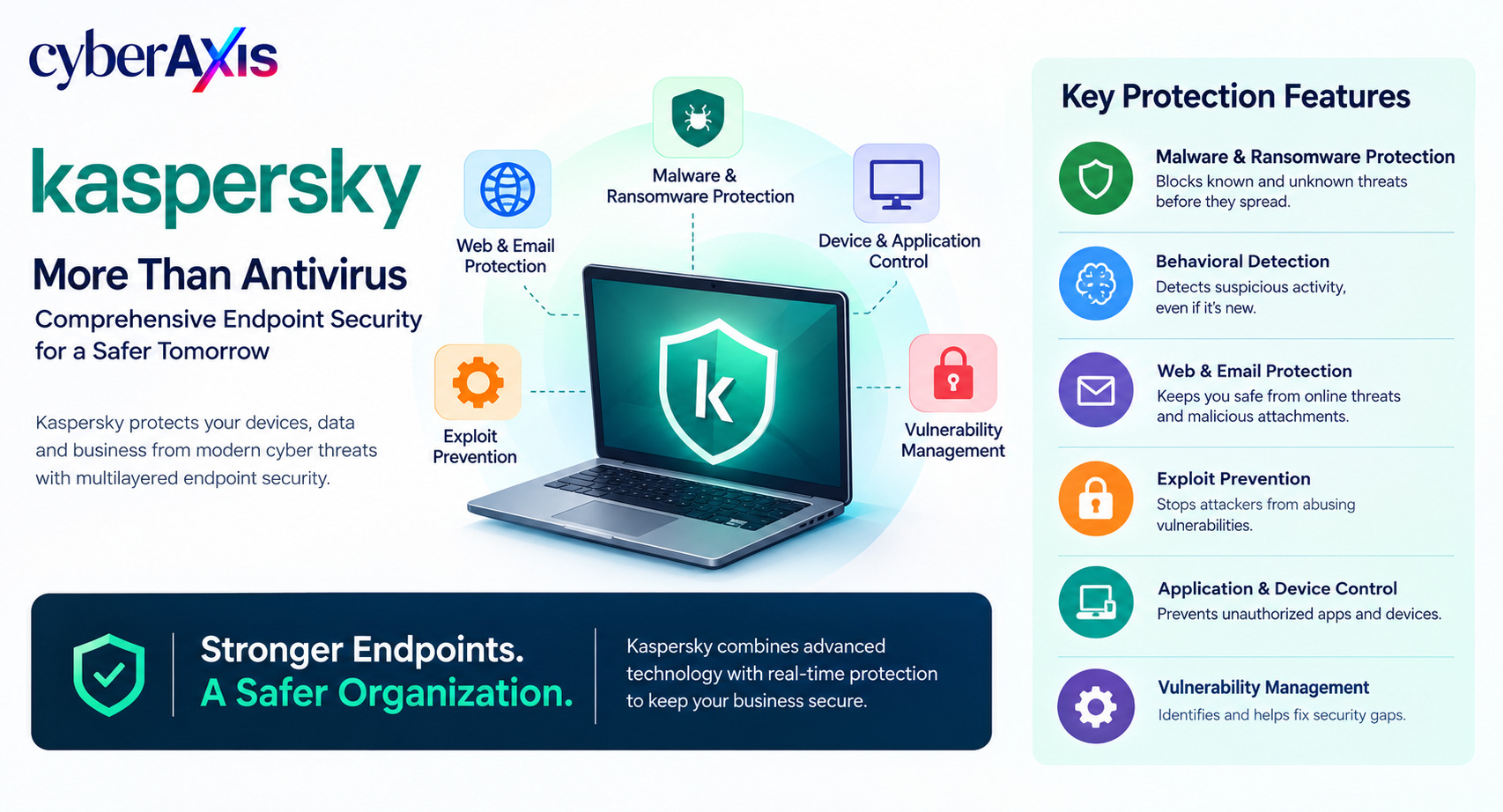
Kaspersky provides security products for individuals and organizations, including endpoint protection designed to detect and prevent malware, ransomware, exploits, fileless threats, and other malicious activity. Its business offerings can also provide application, web, device, vulnerability, and security-management capabilities.
What Is Kaspersky Used For?
At a basic level, Kaspersky helps protect devices from cybersecurity threats.
For organizations, Kaspersky endpoint products can provide capabilities such as:
Malware and ransomware protection
Behavioral detection
Web and email protection
Exploit prevention
Application and device control
Vulnerability and patch management
File protection
Endpoint monitoring
Security management
EDR/XDR capabilities in applicable product tiers
The important idea is that Kaspersky is not simply an antivirus scanner.
Modern endpoint protection looks at how software behaves, not only whether a file matches a known malware signature. Kaspersky's Behavior Detection uses behavior-based rules to identify suspicious application activity, while its broader endpoint protection stack combines multiple detection and prevention technologies.
How Does Kaspersky Protect an Endpoint?
A simplified endpoint security process looks like:
File / Application → Analysis → Detection → Prevention / Response
Different security layers can inspect different parts of this activity.
For example:
A user downloads a file
↓
Kaspersky checks the file and its reputation
↓
Behavior and security controls analyze its activity
↓
Suspicious activity is detected
↓
The malicious activity is blocked or remediated
This layered approach is important because attackers continuously change their techniques.
Key Kaspersky Security Capabilities
1. Malware Protection
Kaspersky provides protection against common malicious software such as:
Trojans
Worms
Viruses
Spyware
Botnets
Ransomware
Other malicious files
The platform combines traditional detection with behavioral and machine-learning-based technologies to improve detection of known and previously unseen threats.
2. Behavioral Detection
Traditional antivirus can recognize known malicious files.
But what happens when malware is new?
This is where behavior-based detection becomes important.
Kaspersky Endpoint Security analyzes application activity and can respond when behavior matches dangerous patterns.
For example, an application suddenly begins:
Modifying large numbers of files
Changing sensitive settings
Performing suspicious actions
Attempting behavior associated with exploitation
Even when the exact malware sample is unknown, suspicious behavior can provide an important detection signal.
3. Ransomware Protection
Ransomware can cause severe business disruption by encrypting files and making systems unavailable.
Kaspersky's endpoint products include ransomware protection and remediation capabilities. Its documentation describes behavior-based ransomware detection and rollback/remediation mechanisms designed to undo malicious changes in supported scenarios.
Realistic Example
An employee unknowingly launches ransomware.
The malware begins modifying and encrypting large numbers of files.
Kaspersky detects the suspicious behavior and stops the process. Where supported, its remediation capabilities can help roll back malicious changes.
Lesson: Endpoint protection should not only detect malware—it should also help reduce the damage caused by successful execution.
4. Exploit Prevention
Attackers sometimes exploit vulnerabilities in legitimate software instead of delivering traditional malware.
Kaspersky provides Exploit Prevention capabilities designed to detect attempts to exploit vulnerabilities and prevent malicious execution.
This is particularly useful because a legitimate application can become the path through which malicious code is executed.
5. Web and Email Protection
Many attacks begin with email or web activity.
Kaspersky business endpoint products provide file, web, and mail protection, while some enterprise offerings can extend protection to gateways as well.
Examples include protection against:
Malicious downloads
Phishing websites
Suspicious web resources
Malicious email attachments
Other web-based threats
This adds another defensive layer before threats reach the endpoint.
6. Application Control
Organizations may want to control which applications are allowed to run.
Kaspersky provides application-control capabilities that can help organizations restrict unauthorized or unwanted software.
For example:
Approved software → Allowed
Unauthorized software → Blocked or restricted
This can reduce the attack surface created by unapproved applications.
7. Device Control
External devices such as USB drives can introduce security risks.
Kaspersky business products provide device-control capabilities that allow organizations to manage which external devices can interact with corporate endpoints.
This is useful for reducing risks such as unauthorized data copying and malicious removable media.
8. Vulnerability and Patch Management
Unpatched software can provide attackers with an entry point.
Kaspersky business offerings can identify vulnerabilities and support patch-management workflows, helping organizations close known attack paths.
This is an important distinction:
Antivirus protects against threats.
Patch management helps remove the vulnerabilities attackers may exploit.
Both are needed.
9. EDR and XDR
For environments requiring deeper investigation, Kaspersky provides EDR/XDR capabilities in applicable product offerings.
EDR can provide centralized endpoint visibility, event correlation, investigation capabilities, threat hunting, and response actions.
This is especially useful for a SOC.
Instead of simply seeing:
"Threat detected"
security analysts can investigate:
What process started?
What files were changed?
Which user was logged in?
What happened before the alert?
Did other endpoints show the same behavior?
Is the activity part of a larger attack?
Realistic Example – Detecting Suspicious Behavior
Imagine an employee downloads a fake software update.
The application starts behaving abnormally.
It launches unusual processes, modifies files, and attempts to communicate with an external server.
Kaspersky detects the suspicious behavior and generates a security event.
If the organization uses EDR capabilities, the security team can investigate the event and understand the sequence of activity across the endpoint.
The SOC can then determine whether the event is:
Normal activity → False positive → Suspicious activity → Confirmed incident
The important part is not simply blocking the file.
It is understanding what happened and whether the attacker got further into the environment.
Kaspersky in a SOC Environment
Kaspersky endpoint security becomes even more valuable when combined with SOC technologies.
A simplified workflow is:
Kaspersky Endpoint → Security Event → EDR / Management Console → SIEM → SOC Investigation → Response
For example:
Endpoint detects malware
↓
Kaspersky generates an event
↓
Event is forwarded or integrated with the security monitoring environment
↓
SOC correlates it with other logs
↓
Analyst investigates
↓
Endpoint is isolated / threat is blocked / remediation begins
This is where endpoint protection and SIEM work together.
Kaspersky protects the endpoint.
The SOC provides broader context.
Why Organizations Use Kaspersky
Organizations may choose Kaspersky because it combines multiple endpoint security capabilities in a managed platform.
Depending on the product and license, this can include:
Endpoint protection
Ransomware protection
Behavioral detection
Web and email protection
Application control
Device control
Vulnerability management
Patch management
EDR/XDR
Centralized security management
Centralized management is particularly important in business environments where security policies need to be applied consistently across many devices.
Kaspersky vs Traditional Antivirus
The difference is mainly in depth and visibility.
A basic antivirus solution may focus primarily on detecting known malicious files.
Modern endpoint platforms can also analyze:
Behavior + Applications + Web Activity + Exploits + Files + Device Activity + Vulnerabilities
Kaspersky's business endpoint products are designed around this broader, multilayered approach.
This doesn't mean antivirus has become irrelevant.
It means endpoint protection has evolved beyond signature scanning alone.
What Kaspersky Does Not Replace
Kaspersky is an endpoint security platform.
It should not be considered a replacement for:
SIEM
Secure network architecture
MFA
Identity protection
Vulnerability management
Backup and disaster recovery
Secure application development
Security awareness
Incident response
Skilled SOC analysts
A secure organization needs multiple layers of defense.
Final Thoughts
Endpoint security is one of the most important layers of a modern cybersecurity strategy.
Attackers can enter through phishing, vulnerable software, malicious downloads, removable devices, or stolen credentials.
Once they're on an endpoint, they may try to establish persistence, steal data, move laterally, or deploy ransomware.
Kaspersky helps organizations defend the endpoint through multiple layers of prevention, detection, and response.
But the bigger lesson is this:
Endpoint protection works best as part of a broader security architecture.
Remember: Antivirus detects threats. Modern endpoint security aims to understand behavior, stop attacks, and help security teams investigate what happened.
Comments 0
Email-verified comments are reviewed before they are published.